


Views: 222 Author: Leah Publish Time: 2026-02-17 Origin: Site


Content Menu
● Understanding Ezgo Electric Golf Cart Speed Control
● Why Electric Golf Cart Speed Needs Adjustment
● Safety and Legal Considerations Before Adjusting Speed
● How to Identify Your Ezgo Electric Golf Cart System
● Tools You May Need to Adjust Ezgo Electric Golf Cart Speed
● Step‑by‑Step: Adjusting Speed on Ezgo RXV Electric Golf Cart
>> Prepare the Ezgo Electric Golf Cart
>> Connect and Configure the Programmer
>> Change Speed and Acceleration Parameters
>> Enable and Set Freedom Mode (If Available)
>> Save Changes and Test the Electric Golf Cart
● Adjusting Speed on Ezgo TXT Electric Golf Cart
>> Older 36 V PDS Ezgo TXT Electric Golf Cart
>> Newer 48 V Ezgo TXT Electric Golf Cart
● Other Ways to Influence Ezgo Electric Golf Cart Speed
>> Battery Pack Voltage and Condition
>> Motor and Controller Capacity
>> Wiring, Cables, and Connections
>> Tire Size, Tread, and Pressure
>> Load, Terrain, and Driving Style
● When to Work With OEM Manufacturers Like BorCart
● Maintenance Tips to Keep Speed Consistent
● FAQ About Ezgo Electric Golf Cart Speed Adjustment
>> 1. How fast can an Ezgo electric golf cart go after adjustment?
>> 2. Is it safe to increase the speed of my Ezgo electric golf cart?
>> 3. Do I need a dealer to adjust Ezgo electric golf cart speed?
>> 4. Will adjusting my Ezgo electric golf cart speed void the warranty?
>> 5. What is the best way for fleet owners to manage electric golf cart speed?
Adjusting the speed on an Ezgo electric golf cart mainly depends on its controller settings, battery and motor configuration, and whether speed‑limit “governor” functions like Freedom Mode are enabled. For brands, wholesalers, and OEM buyers working with BorCart, understanding these options helps you specify the right electric golf cart performance for golf courses, resorts, communities, and other commercial projects.
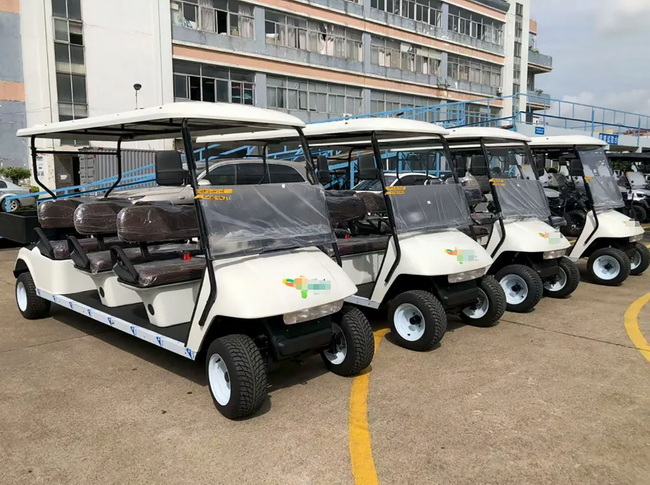
Ezgo electric golf cart speed is controlled by an electronic controller that regulates how much battery power is sent to the motor based on accelerator pedal input. Instead of a mechanical governor like a gas cart, the Ezgo electric golf cart uses programmed limits for forward speed, acceleration, regenerative braking, and motor current. By carefully changing these parameters, you can make an Ezgo electric golf cart accelerate more strongly or reach a higher top speed, as long as the motor, batteries, tires, and brakes can safely handle the load.
Ezgo produces several families of electric golf cart platforms that use different speed‑control methods. Common examples include older 36 V PDS Ezgo electric golf cart models that use plug‑in “personality” chips, 48 V Ezgo TXT electric golf cart models that use a passkey to unlock higher speeds, and Ezgo RXV electric golf cart models that rely on programmable controllers with Freedom Mode. Each type of Ezgo electric golf cart requires a slightly different procedure to adjust speed, so you must identify the exact model and controller before making changes.
A clear understanding of these electronic control systems is especially important for fleet owners and OEM buyers who need consistent speed limits across many Ezgo‑style electric golf carts used on golf courses, resorts, and gated communities.
In many real situations, the factory speed setting on an Ezgo electric golf cart is a compromise between safety, comfort, and typical golf course usage. Some resort or community applications require slightly higher speeds to shorten travel time, while senior‑living communities might want slower and smoother electric golf cart behavior. Adjusting speed makes it possible to adapt the same Ezgo electric golf cart platform to very different environments.
For example, a private resort that uses electric golf carts as shuttle vehicles might request higher top speed and stronger acceleration so guests spend less time traveling between villas, restaurants, and beaches. By contrast, a school campus that uses an Ezgo electric golf cart for maintenance staff may prefer moderate speed but very gentle acceleration for safety around students. Properly tuning the controller lets you match the electric golf cart performance to the user profile, terrain, and local rules.
Before you adjust the speed of any Ezgo electric golf cart, you must consider local regulations on maximum vehicle speed in golf course communities, private resorts, and public roads. Many regions restrict electric golf cart speeds to around 15–20 mph when used in neighborhoods or on designated cart paths, and going beyond this may change how the vehicle is classified and insured. For commercial fleets, setting a uniform top speed on each electric golf cart helps reduce accidents, protect pedestrians, and simplify driver training.
From a technical perspective, higher speed settings place more stress on the Ezgo electric golf cart's motor, controller, batteries, tires, and brakes. Increasing forward speed or acceleration can raise motor temperature, increase current draw, and reduce battery range, especially on hilly courses or heavy‑duty utility routes. Fleet managers and OEM buyers should balance the need for speed with the total cost of ownership, maintenance schedule, and battery replacement cycle.
For brands and OEM partners working with BorCart, these safety and legal considerations can be built into the project from the beginning. The electric golf cart can be designed with appropriate voltage, motor size, controller capacity, and braking systems to handle the required speed safely instead of relying only on software tweaks after delivery.
To adjust speed accurately, start by identifying which Ezgo electric golf cart platform you own or plan to purchase. Important clues include voltage (36 V vs 48 V), presence of a PDS controller, and whether the cart is a TXT or RXV model.
Typical categories are:
- Older Ezgo PDS 36 V electric golf cart
- Ezgo TXT 48 V electric golf cart
- Ezgo RXV 48 V electric golf cart with programmable controller
The Ezgo PDS 36 V electric golf cart usually has a run‑tow switch under the seat and a dash‑mounted toggle for forward and reverse, and it can use different plug‑in “personality” or speed chips. The 48 V TXT electric golf cart does not use those chips but relies on dealer programming and passkeys to alter controller settings. The Ezgo RXV electric golf cart typically uses a programmable controller that lets you change forward speed, acceleration, and braking using a handheld programmer or tuning device.
Once you know the exact model and system type, you can choose the correct method: speed chip, dealer passkey, or direct programming with a handheld controller. This also helps you decide whether additional hardware upgrades, such as a more powerful motor or higher‑amp controller, are worth considering for your electric golf cart.
Depending on the exact Ezgo electric golf cart model, the tools and devices required can be quite different.
Common options include:
- Handheld programmer for Curtis or similar controllers on RXV electric golf cart models
- OEM or aftermarket tuning device that plugs into the diagnostic port on TXT or RXV electric golf cart models
- Freedom Mode passkey or dealer access to unlock higher speed profiles on some 48 V electric golf cart platforms
- Plug‑in speed chip for older 36 V PDS Ezgo electric golf cart systems
- Basic hand tools to access seats, panels, and controller compartments
Many fleet owners and retail users choose to visit an Ezgo dealer or professional shop that has the correct programmer and software to adjust electric golf cart speed and related parameters. For OEM buyers working with BorCart, controller settings, speed profiles, and even wiring harness options can be defined and locked in at the factory level for each electric golf cart model, reducing the need for these tools on site.
For an Ezgo RXV electric golf cart with a programmable controller, speed adjustment is usually done via a handheld programmer or compatible tuning device. The exact menu names can vary, but the logic is similar across many RXV configurations.
First, park the Ezgo electric golf cart on a flat surface and engage the parking brake. Switch the cart to tow or maintenance mode if required by the owner's manual. Remove the key and make sure passengers and bystanders are clear of the vehicle while you work. Safety is critical whenever you are changing drive parameters on an electric golf cart.
Next, lift the seat or open the access panel to locate the controller and diagnostic port. On most Ezgo RXV electric golf cart models, the controller is mounted under the seat or near the rear of the vehicle. Ensure that battery cables and wiring are in good condition; damaged wiring can cause inaccurate test results or unsafe operation after you adjust speed.
Connect the handheld programmer or tuning device to the diagnostic port on the Ezgo RXV electric golf cart. Follow the instructions provided with the device for proper connection and power‑up. You may need to switch the cart back to run mode or turn the key to the “on” position so the controller and programmer have power.
Once the device is connected, navigate through the menus until you reach the parameters or profiles section. Many Ezgo RXV electric golf cart controllers use named profiles, such as “Coastal” or “Freedom,” that define a bundle of speed and acceleration settings. Select the active profile so you can view and modify its values.
Locate the forward speed parameter in the active profile. Increase this value gradually rather than jumping directly to the maximum. Typical factory maximums for a standard Ezgo RXV electric golf cart are often around 14–15 mph, and certain profiles or Freedom Mode can push this higher. Adjusting in small steps lets you test the electric golf cart safely and see how the changes affect handling.
In the same menu, you can usually change acceleration levels. Many controllers allow you to choose a scale (for example, levels 1–4), where higher numbers give quicker response at the expense of smoothness and component stress. For shared‑use RXV electric golf cart fleets, medium acceleration settings are usually recommended to avoid sudden takeoffs that could surprise inexperienced drivers.
Some Ezgo RXV electric golf cart models support a high‑speed Freedom Mode, which can raise top speed to around 19–20 mph under the right conditions. Unlocking this mode often requires a special passkey or dealer‑level access. Once it is activated, the controller menu may reveal a higher allowable speed limit that you can select.
When setting Freedom Mode on an electric golf cart, confirm that the brakes, tires, and suspension are in excellent condition. If the electric golf cart is heavily loaded, used on steep hills, or driven by inexperienced users, you may want to keep speed settings slightly lower to maintain a safety margin.
After you finish editing the controller parameters, save the changes and disconnect the programmer. Re‑install any panels or seats that were removed. Switch the Ezgo electric golf cart back to normal run mode and perform a careful test drive in an open, low‑traffic area.
During the test, pay attention to:
- Initial acceleration response when pressing the pedal
- Stability and steering feel at higher speeds
- Braking distance and effectiveness
- Any unusual noises or smells from the motor or controller
If the electric golf cart feels unstable or brakes seem weak at the new speed, reduce the speed setting or consult a professional technician. Reliability and safety should always come before maximum speed.
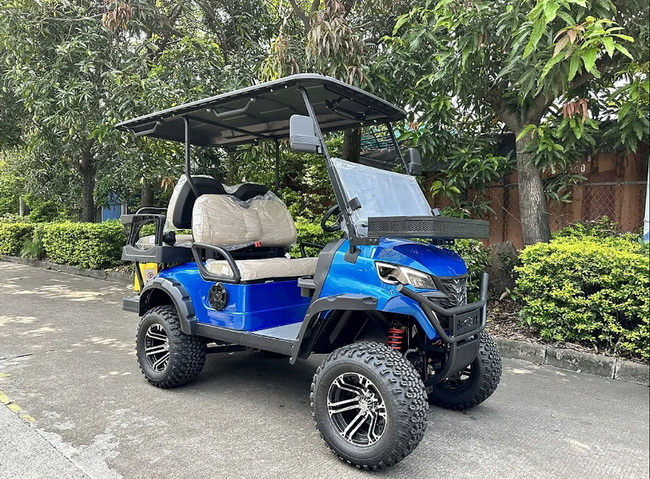
The Ezgo TXT electric golf cart series includes both older 36 V systems and newer 48 V platforms, and the adjustment method depends on which system you have.
Many older 36 V PDS Ezgo TXT electric golf cart models can be modified using plug‑in “Freedom” or “speed” chips. These chips install into the controller harness and change the operating profile to allow a higher top speed. Some configurations can reach around 19 mph with the correct chip and healthy batteries.
To use a speed chip:
1. Place the electric golf cart in tow mode and remove the key.
2. Access the controller compartment under the seat or panel.
3. Insert the correct chip into the designated plug on the controller.
4. Re‑assemble the panels, return the cart to run mode, and test drive.
Always check that the chip you purchase is compatible with your specific Ezgo PDS electric golf cart. Using the wrong part can lead to poor performance or error codes.
For newer 48 V Ezgo TXT electric golf cart models, speed adjustment usually relies on dealer programming and a passkey rather than physical chips. The dealer connects a handheld diagnostic device to the cart, enters authorized codes, and then changes parameters such as maximum speed and acceleration. In some cases, the passkey enables a “Freedom” level that delivers higher performance using the existing motor and batteries.
Owners who want more speed on a 48 V Txt electric golf cart can also consider:
- Upgrading to a higher‑power motor designed for more rpm
- Installing a higher‑amp controller capable of delivering more current
- Using slightly larger‑diameter tires to increase effective gearing
- Ensuring all batteries are matched, fully charged, and in good health
These changes must be planned carefully. A mismatched combination of motor, controller, and batteries can overheat, reduce range dramatically, or cause reliability problems for the electric golf cart.
Controller programming is only one part of Ezgo electric golf cart performance. Several hardware and configuration choices also influence how fast and how safely an electric golf cart can run.
Battery voltage is a major factor. A 48 V Ezgo electric golf cart generally has more speed potential than a 36 V version when using similar motors. However, if the batteries are old, sulfated, or out of balance, the electric golf cart may feel weak even with aggressive controller settings. Regular maintenance, proper charging habits, and timely replacement are essential for consistent speed and range.
High‑speed or high‑torque motors can significantly change how an Ezgo electric golf cart behaves. A motor wound for higher rpm will increase top speed but may sacrifice some climbing torque. Pairing the right motor with an appropriately rated controller ensures that the electric golf cart can handle both flat cruising and hill work without overheating.
Undersized or corroded cables create voltage drop and heat, limiting how much power reaches the motor. Upgrading to heavier‑gauge cable sets and cleaning all major connections can improve the overall performance of an Ezgo electric golf cart. For high‑current setups, these upgrades are almost mandatory.
Tires affect both gearing and traction. Slightly larger tires increase the distance traveled per motor revolution, which raises top speed for a given motor rpm. However, very large tires can make the electric golf cart feel sluggish when starting and may increase controller load. Correct tire pressure improves rolling efficiency and helps the electric golf cart maintain speed with less energy.
Passenger count, cargo weight, and terrain make a big difference in real‑world performance. An Ezgo electric golf cart carrying four adults uphill will always move slower than a lightly loaded cart on flat ground, even with identical controller settings. Gentle acceleration, smart route choices, and avoiding unnecessary stops all help preserve speed and battery life.
If you are a brand owner, wholesaler, or large‑scale fleet buyer, the most efficient way to manage Ezgo‑style electric golf cart speed is to specify the target performance during OEM development instead of adjusting each unit manually after delivery. By working with a manufacturer like BorCart, you can define:
- Target top speed for each electric golf cart variant
- Acceleration curve and pedal feel
- Regenerative braking strength and behavior on downhill slopes
- Motor and controller specifications to support the chosen profile
- Battery type and capacity suitable for required range and duty cycle
BorCart, as a professional Chinese manufacturer of electric golf carts, sightseeing buses, low‑speed vehicles, hunting vehicles, and multi‑purpose vehicles, can pre‑configure speed and torque characteristics to match your local regulations and customer expectations. For example, a golf course fleet may prioritize smooth, quiet electric golf cart operation at moderate speed, while a resort shuttle project may ask for higher‑speed electric golf cart models with strong hill‑climbing ability.
By building these requirements directly into the product design, BorCart helps overseas brands and wholesalers launch electric golf cart lines that are ready for their target markets without complex on‑site modifications.
Speed adjustment is not a one‑time job. To keep an Ezgo electric golf cart performing properly over years of use, you must combine smart tuning with regular maintenance.
Key tips include:
- Charge the electric golf cart after each day of use to avoid deep discharge.
- Inspect and clean battery terminals, cables, and main power connections regularly.
- Check tire pressure and tread wear at least weekly for busy fleets.
- Monitor motor and controller temperature when operating near maximum speed.
- Schedule periodic inspections for brakes, steering, and suspension parts.
A well‑maintained Ezgo electric golf cart will hold its programmed speed more reliably and give fleet operators more predictable operating costs. For OEM projects, BorCart can provide detailed maintenance guidelines and training material tailored to the specific electric golf cart configuration you choose.
Adjusting the speed of an Ezgo electric golf cart is primarily a matter of understanding its electronic controller, identifying the exact TXT or RXV platform, and using the right programmer, speed chip, or passkey to change forward speed and acceleration limits. Modern Ezgo RXV electric golf cart models rely on programmable controllers and selectable profiles, while older 36 V PDS Ezgo electric golf cart systems may use plug‑in speed chips, and newer TXT electric golf cart models often require dealer‑level software changes.
Any speed adjustment must also respect safety, legal limits, and the hardware capabilities of the electric golf cart's motor, batteries, wiring, tires, and brakes to avoid overheating, instability, or premature wear. For brands, wholesalers, and fleet buyers, working directly with an OEM manufacturer such as BorCart allows you to define and lock in consistent electric golf cart speed profiles from the factory, achieving the desired performance while maintaining compliance and reliability across your entire fleet.
Contact us to get more information!
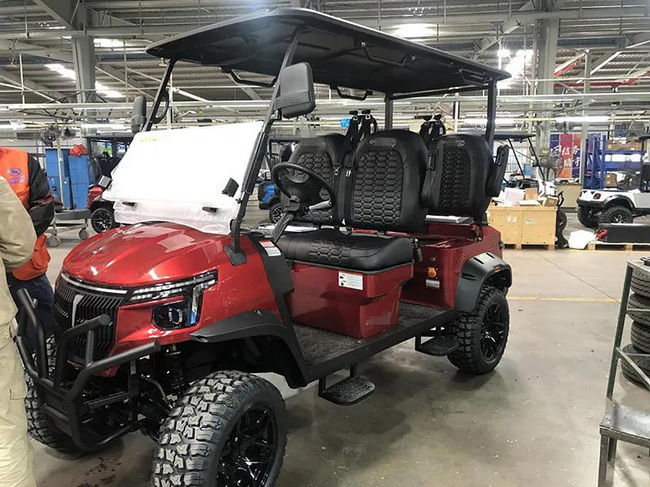
Most stock Ezgo electric golf cart models are configured to run around typical golf‑course speeds, often in the 12–15 mph range depending on model and region. With controller adjustments, speed chips, or Freedom‑type modes activated, many Ezgo RXV and TXT electric golf cart setups can be tuned to approximately 19–20 mph on factory hardware, while more extensive motor, controller, and tire upgrades can push some custom builds into the mid‑20 mph range or above when local rules allow it.
It can be safe to increase the speed of an Ezgo electric golf cart if you stay within reasonable limits and ensure that the brakes, tires, steering, and suspension are in good condition. Problems arise when owners push the electric golf cart far beyond factory settings without supporting hardware upgrades, which can overheat the motor, stress the controller, shorten battery life, and make the vehicle harder to control, especially on rough terrain or downhill grades.
For many modern Ezgo electric golf cart models, especially 48 V TXT and RXV versions, a dealer or qualified technician with the correct handheld programmer or passkey is the simplest and safest way to change speed settings. Some older 36 V PDS Ezgo electric golf cart systems can be modified by the owner using plug‑in speed chips, but even then it is important to follow the manufacturer's instructions and check that the electric golf cart can handle the new performance level without compromising safety.
Altering controller parameters or unlocking high‑speed modes on an Ezgo electric golf cart may affect your warranty, particularly if changes lead to overheating, component failure, or operating speeds beyond the manufacturer's guidelines. Some suppliers allow approved speed adjustments within defined limits, while others restrict tuning to maintain warranty coverage. Always confirm the policy before modifying your electric golf cart and keep records of any changes for future reference.
For golf courses, resorts, and community fleets using Ezgo‑style electric golf carts, the best approach is to define a standard target speed and have all controller profiles programmed to match that limit. Working with an OEM supplier like BorCart lets you order electric golf carts with pre‑set speed and acceleration curves that meet local regulations and safety goals, ensuring every cart in the fleet behaves consistently without needing individual post‑delivery adjustments or complex field programming.
1. https://www.langqinggolfcart.com/how-to-adjust-ezgo-electric-golf-cart-controller.html
2. https://www.langqinggolfcart.com/how-to-govern-adjust-throttle-on-electric-rxv-golf-cart.html
3. https://www.buggiesunlimited.com/golf-cart/2000-up-ezgo-txt-freedom-w-pds-system-speed-chip/6163
4. https://fastrxv.com/blogs/news/how-to-speed-up-your-e-z-go-electric-rxv
5. https://caddiewheel.com/blogs/golf-content/a-guide-to-electric-golf-cart-speed-control
6. https://cartaholics.com/threads/speed-up-my-95-ezgo.14620/
7. https://txpgolfcarts.com/tips-for-maximizing-your-battery-life/


