


Views: 222 Author: Loretta Publish Time: 2025-12-20 Origin: Site


Content Menu
● Common Symptoms of a Slow Golf Cart
● Step 1 - Check Battery Voltage and State of Charge
>> How to test golf cart battery voltage
>> When to recharge vs. replace batteries
● Step 2 - Inspect Battery Connections and Wiring
>> What to look for on battery terminals
>> Inspect the main wiring harness
● Step 3 - Verify Tire Pressure and Rolling Resistance
● Step 4 - Examine Brakes for Dragging
● Step 5 - Assess the Motor and Controller
>> Recognizing controller-related speed problems
● Step 6 - Test Solenoid Operation
● Step 7 - Evaluate the Throttle Sensor and Speed Sensor
>> Speed sensor faults and slow running
● Step 8 - Inspect Wheel Bearings, Axle, and Differential
>> Axle and differential issues
● Step 9 - Gas Golf Carts: Engine and Fuel System Checks
● Step 10 - Consider Performance Upgrades Once Issues Are Fixed
● Diagnostic Checklist for a Slow Golf Cart
● Safety Tips Before You Start Troubleshooting
● When to Call a Professional or OEM Supplier
● Summary
● FAQ
>> Q1: Why is my electric golf cart running slow even with new batteries?
>> Q2: How fast should a standard golf cart go?
>> Q3: Can a bad speed sensor make my golf cart slow?
>> Q4: Is it safe to bypass the speed governor to make my golf cart faster?
>> Q5: When should I choose a lithium battery upgrade for more speed?
Golf carts are essential for golf courses, resorts, residential communities, and industrial parks, but a slow-running golf cart quickly turns convenience into frustration. This guide explains why your golf cart is running slow and shows you, step by step, how to restore normal speed and performance.[2][1][3]
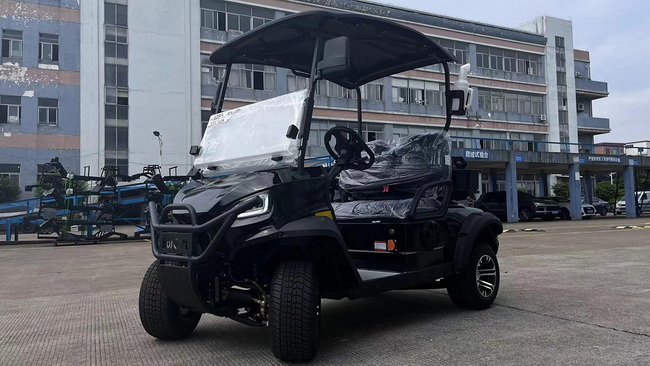
Recognizing the exact symptom helps narrow down the problem before you touch any tools.[2][3]
- Cart reaches only half of its normal top speed on flat ground.[2]
- Golf cart is very slow uphill or loses power after a few holes.[4][3]
- Acceleration is sluggish, with a noticeable delay when pressing the pedal.[5][3]
- Cart runs normally in reverse but slow in forward, or vice versa.[6][7]
- Speed is inconsistent: sometimes normal, sometimes suddenly limited.[3][5]
If any of these sound familiar, move through the following diagnostic steps in order—from the simplest checks to more advanced components.[1][3]
For electric golf carts, the battery pack is the primary source of speed and torque; weak batteries are the number one cause of slow performance.[1][3]
- Use a digital voltmeter and connect it across the entire battery pack.[3]
- Turn the key on, keep the cart in neutral, and press the accelerator while watching the voltage.[3]
- Most 36 V or 48 V systems should show close to their rated voltage under light load; a significant drop indicates weak batteries or internal resistance issues.[1][3]
If the pack voltage drops far below the nominal range when you press the pedal, the batteries are not supplying enough current and will cause slow running.[4][3]
- Recharge: If the resting voltage is low but the pack is relatively new and has not been deeply discharged frequently.[3]
- Equalize or balance: If individual batteries show uneven voltages, an equalization charge or professional balancing may help.[4][3]
- Replace: If batteries fail under-load tests repeatedly, are past their expected service life, or show swelling, leaking, or cracked cases.[4][3]
Suggested visual: Insert a close‑up image of a voltmeter reading a 48 V golf cart battery pack under load in this section.[3]
Even healthy batteries can behave “weak” if cables and terminals are corroded or loose, which restricts current flow and slows the cart.[8][1]
- White or green corrosion buildup on posts and connectors.[1]
- Loose or frayed cables that move easily by hand.[8][1]
- Signs of melted plastic or burnt lugs caused by overheating.[8]
Clean corrosion with a wire brush, tighten all nuts to the manufacturer's torque spec, and replace any damaged cables to restore full power transfer.[8][1]
- Follow the main power cables from the battery pack to the controller and motor.[8][4]
- Look for damaged insulation, pinched wires, or loose connectors at the solenoid, controller, and motor.[8]
- Secure any loose harness sections to reduce vibration-related failures.[8]
Suggested visual: Add an annotated diagram of an electric golf cart power circuit highlighting batteries, solenoid, controller, and motor connections.[4][8]
Low tire pressure increases rolling resistance and makes any golf cart feel underpowered, especially on grass or inclines.[2][1]
- Check all four tires with a reliable pressure gauge and adjust them to the manufacturer's recommended PSI (often printed on the sidewall).[1]
- Uneven pressures between left and right sides can cause drag or tracking issues that also reduce speed.[2]
- Inspect tires for flat spots, heavy tread wear, or rubbing against fenders or suspension components.[2]
A simple tire pressure correction is often enough to improve speed, range, and overall ride quality.[1][2]
Brakes that are slightly engaged even when you are driving can act like a constant hill, draining power and slowing the cart.[9][1]
- Manually push the cart on level ground with the brake released; it should roll freely with minimal effort.[9]
- Listen for scraping sounds from the drums or rotors that indicate dragging brake shoes or pads.[9]
- Inspect and adjust brake cables, return springs, and shoe clearances according to the cart's maintenance manual.[9][1]
Replace worn pads or shoes and correct any misalignment to eliminate unnecessary mechanical resistance.[9][1]
If power delivery and mechanical drag check out, the issue may lie in the traction motor or controller that manages current flow.[2][1]
- Noticeable burning smell or visible discoloration on the motor housing.[2][8]
- Strange noises (grinding, whining) when accelerating.[2]
- Cart heats up quickly under moderate load and slows down after short use.[4][2]
In these cases, brushes, bearings, or windings may be worn, and professional motor testing is recommended to avoid further damage.[8][2]
The speed controller regulates how much current goes to the motor; faults can limit output and cap your golf cart's speed.[3][2]
- Cart accelerates only partway and then stops increasing speed, even with good batteries.[3]
- Random surging or intermittent power loss on flat terrain.[4][3]
- On some models, trouble codes or diagnostic lights appear, indicating controller faults.[4]
Often, a controller with internal failures or damaged MOSFETs must be replaced, as most models cannot be practically repaired at the component level.[3][4]
The solenoid is a high-current relay that connects the battery pack to the controller and motor when you press the accelerator.[10][1]
- With the key on, press the pedal and listen for a distinct “click” from the solenoid area.[1]
- No click may mean a failed solenoid coil, faulty activation circuit, or issues with the key switch/micro switches.[10]
- A click with no movement can still indicate burnt or welded internal contacts restricting current and slowing the cart.[10]
Replacing a weak or defective solenoid restores proper current flow and helps fix slow acceleration or inconsistent speed.[10][1]
Modern electric golf carts use throttle position sensors and speed sensors to manage smooth, efficient acceleration.[1][3]
- Delay between pressing the pedal and cart movement.[1][3]
- Non‑linear response where the cart jumps from very slow to sudden speed.[3]
- Inconsistent performance when the pedal is held at the same position.[3]
Throttle sensors can often be tested via the cart's diagnostic mode or with a multimeter to verify output voltage or resistance changes.[4][3]
If the speed sensor or its magnet is damaged, the controller may limit output as a safety measure.[5][3]
- Cart may run only at a limited “limp” speed.[3]
- Speed may fluctuate at random, especially on certain sections of the course.[5][3]
- In some models, a failed speed magnet causes the cart to slow down or stop after a short distance.[5][3]
Cleaning dirt or mud from the sensor area, checking wiring, and replacing a cracked magnet or failed sensor usually resolve these issues.[5][3]

Mechanical resistance in the drivetrain can significantly reduce top speed and overload the motor.[11][1]
- Safely jack up each wheel and check for play by rocking the tire at the 12 and 6 o'clock positions.[1]
- Spin the wheel by hand; roughness, grinding, or noise suggests worn bearings.[11][1]
- Replace any damaged bearings promptly to prevent further wear on the axle and hub.[1]
- Look for oil leaks around the differential housing or axle seals.[11][1]
- Listen for whining or clunking noises from the rear end during acceleration.[11]
- Low or contaminated gear oil increases friction and can slow the cart, especially under load.[11]
Correct lubrication and timely repair of internal gears extend service life and help maintain consistent speed.[11][1]
While this guide focuses on electric models, some slow-running golf cart issues are specific to gas carts.[12][13]
- Clogged air filter or fuel filter restricts power and reduces top speed.[12]
- Worn spark plugs or weak ignition components cause misfires and poor acceleration.[12]
- Throttle linkage or governor misadjustments may artificially limit speed.[13]
Regular engine tune‑ups, proper carburetor or EFI maintenance, and correct governor settings help gas carts maintain their designed performance.[13][12]
If your cart is mechanically healthy but still feels too slow for your application, performance upgrades can safely increase speed and torque.[13][1]
- High‑capacity battery pack or lithium battery conversion for higher sustained power and longer range.[13][4]
- Upgraded controller with higher current output to improve acceleration and hill-climbing performance.[13][3]
- High‑torque or high-speed motor matched to the controller and battery configuration.[13][2]
All upgrades should respect local regulations, manufacturer recommendations, and safety standards to avoid overstressing components or voiding warranties.[13][4]
Area checked | Typical symptom | Likely cause | Recommended action |
Battery voltage | Slows after short use, weak uphill | Low or failing batteries | Load test, recharge, or replace batteries |
Battery cables & wiring | Hot cables, intermittent power | Loose or corroded connections | Clean, tighten, or replace cables |
Tires & brakes | Feels heavy to push, slow on flat ground | Low pressure or dragging brakes | Inflate tires, adjust or service brakes |
Motor & controller | Caps at low speed, surging, overheating | Internal motor or controller fault | Professional diagnosis, repair, or replacement |
Solenoid / sensors | Click with no power, limp mode, random slowdown | Solenoid or sensor failure | Test and replace faulty components |
Drivetrain (bearings, axle) | Grinding noise, uneven speed, high mechanical drag | Worn bearings or differential issues | Replace bearings, inspect and service axle |
Electrical and mechanical work on golf carts must be done safely to protect both the user and the vehicle.[10][4]
- Always turn off the key switch and set the parking brake before working on the cart.[10]
- Disconnect the main negative cable from the battery pack before touching high‑current wiring.[10]
- Use insulated tools and appropriate personal protective equipment, especially around batteries and high‑current circuits.[10][4]
For complex diagnostics on controllers, motors, or lithium systems, it is advisable to work with an experienced technician.[10][4]
Even with a detailed golf cart troubleshooting guide, some problems require specialized tools, manufacturer software, or parts access.[4][10]
- Persistent slow speed after all basic checks (battery, wiring, tires, brakes) are completed.[4]
- Error codes related to the controller, motor, or BMS (battery management system) on advanced carts.[10][4]
- Fleet operators who need consistent performance across multiple carts and cannot afford trial‑and‑error repairs.[10]
As an OEM golf cart and component manufacturer, BorCart can support dealers, brands, and fleet owners with professional diagnostics, performance‑matched parts, and complete electric golf cart solutions.[5][4]
If your golf cart is running slow and you need reliable OEM‑level solutions, consider partnering with a manufacturer that specializes in electric golf carts and components. BorCart provides OEM and ODM services for golf carts, low‑speed vehicles, and key parts, helping international brands, wholesalers, and assemblers deliver fast, efficient carts to their customers.[5][1][4]
- For fleet owners: request technical support or component recommendations tailored to your current models and usage environment.[10][4]
- For global distributors and brands: contact BorCart's team to develop customized electric golf cart platforms optimized for performance, safety, and speed.[5][4]
A1: New batteries can still underperform if wiring is corroded, the controller is limiting output, or there is mechanical drag from brakes or bearings, so a full system check is still required.[3][4]
A2: Most stock golf carts are designed to run around 12–15 mph, with some street‑legal or upgraded models reaching higher speeds depending on local regulations and configuration.[13][2]
A3: Yes, many controllers switch to a reduced “limp” mode if the speed sensor or magnet fails, which significantly limits top speed until the fault is fixed.[5][3]
A4: Bypassing factory speed controls without proper matching of motor, controller, and brakes can be unsafe and may violate regulations or void warranties, so managed upgrades are safer.[13][10]
A5: Lithium packs are beneficial when you need higher power density, faster charging, and reduced weight, but the controller and motor must be compatible and correctly configured.[13][4]
[1](https://www.rootsev.com/blog/troubleshooting-guide-diagnosing-and-repairing-slow-running-golf-carts/)
[2](https://www.bennelsongolfcars.com/blog/common-reasons-your-golf-cart-may-be-running-slow--75272)
[3](https://www.golfcartgarage.com/blog/golf-cart-running-slow-5-common-reasons-why/)
[4](https://bighorngolfer.com/blogs/a/golf-cart-slow-with-new-batteries)
[5](https://www.evrambler.com/details660)
[6](https://www.youtube.com/watch?v=D2dMDpFUa3Q)
[7](https://www.youtube.com/watch?v=DFAgK5QAtQU)
[8](https://centralcoastcarts.com/golf-cart-repair/troubleshooting-golf-cart-motor-issues/)
[9](https://www.bennelsongolfcars.com/blog/6-common-golf-cart-problems-and-how-to-fix-them--64838)
[10](https://boltenergyusa.com/golf-cart-troubleshooting-repair-solution-guide/)
[11](https://cartaholics.com/threads/perfectly-working-golf-cart-stopped-running-and-runs-slow-now.1983/)
[12](https://www.youtube.com/watch?v=b9QeIrHan6s)
[13](https://www.revel42.com/ways-to-speed-up-a-slow-golf-cart/)
[14](https://www.youtube.com/watch?v=t3i5M6LHeK4)
[15](https://www.youtube.com/watch?v=y0rHVGw9EIA)
[16](https://www.youtube.com/watch?v=6GpnL_-mcao)
[17](https://buggiesgonewild.com/showthread.php?t=115123)
[18](https://www.reddit.com/r/golfcarts/comments/1nbxyva/help_my_cart_is_slow/)
[19](https://www.reddit.com/r/golfcarts/comments/1kr66sk/golf_cart_slow_to_accelerate/)
[20](https://www.facebook.com/groups/1197051953959477/posts/2404721919859135/)


