


Views: 222 Author: Leah Publish Time: 2026-01-30 Origin: Site


Content Menu
● Understanding Yamaha Golf Buggy Model Codes
● Where To Find the Serial Number on a Yamaha Golf Buggy
● How Yamaha Codes the Year in Golf Buggy Serial Numbers
● Visual Clues When the Serial Number Is Missing
● Why the Year Matters for Parts, Upgrades, and Resale
>> Resale value and documentation
● How BorCart Supports Yamaha Golf Buggy Owners and OEM Clients
● Recording and Managing Your Yamaha Golf Buggy Information
● Using Professionals to Confirm the Year of Your Yamaha Golf Buggy
● Practical Step‑by‑Step Guide: How to Identify Your Yamaha Golf Buggy's Year
● When to Consider Replacing or Complementing an Older Yamaha Golf Buggy
● FAQ – Yamaha Golf Buggy Year Identification
>> 1. Where is the serial number on my Yamaha golf buggy?
>> 2. Can I find the year of my Yamaha golf buggy without the serial number?
>> 3. Why does the year matter when upgrading my Yamaha golf buggy?
>> 4. How can BorCart help if I already own a Yamaha golf buggy fleet?
>> 5. What information should I keep on record for each Yamaha golf buggy?
Figuring out the exact year of your Yamaha golf buggy is essential for ordering the right parts, planning upgrades, and setting a fair resale price. Your Yamaha golf buggy's year can usually be identified by its serial number, model code, and a few visual clues that distinguish one generation from another.
Yamaha has produced many generations of golf buggy models over the decades, including early G‑series vehicles, later Drive and Drive2 lines, and various fleet and personal-use versions designed for golf courses, resorts, and private owners. Each generation has its own model code system, styling features, and component specifications that can help you match your golf buggy to its production year.
A Yamaha golf buggy is often used in demanding environments such as golf courses, holiday villages, farms, airports, villas, and leisure parks, so knowing the exact year helps you get compatible batteries, controllers, body panels, and accessories. If you are using OEM or custom-built golf buggy solutions from a professional manufacturer like BorCart, correct year identification also makes it easier to match or upgrade fleets for overseas brand owners, wholesalers, and manufacturers.
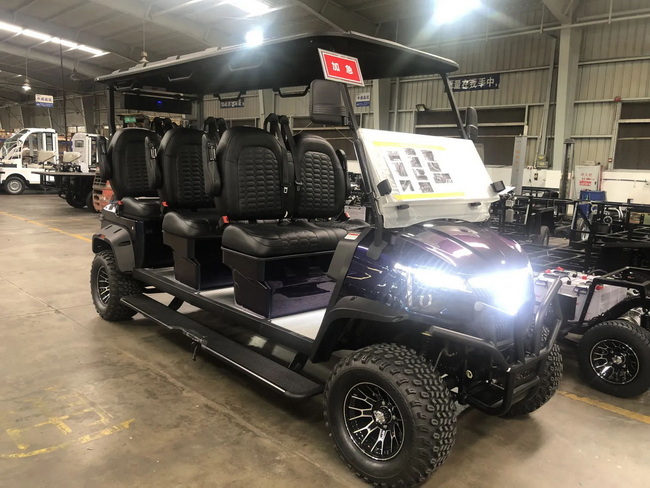
Before you can decode the year, you need to know which family your Yamaha golf buggy belongs to. Yamaha has used several naming and coding systems across different generations.
Typical model families include:
- Early G‑series (G1, G2, G3, etc.), which cover the classic petrol and early electric golf buggy lines.
- Mid‑generation G‑series and transition models that started to modernize body style and electrical systems.
- Yamaha Drive and Drive2, which feature more rounded styling, improved ergonomics, and more advanced electric powertrains.
Each of these model families uses specific combinations of letters and numbers in their serial numbers. These codes identify the golf buggy's platform, configuration, and production run. When you match the model family and serial number, you can determine the year and sometimes the month of manufacture.
If your Yamaha golf buggy is part of a fleet delivered to a golf course, resort, or large facility, the operator may already have records listing model codes and years. In that case, identifying the precise model family can be as simple as matching the code printed on the frame to the fleet documentation.
The serial number is your primary key to knowing what year your Yamaha golf buggy was built. It combines letters and numbers that encode the model type and production date.
Common serial number locations on a Yamaha golf buggy include:
- On the frame under the seat or near the battery compartment, often on a small metal plate or durable sticker.
- On the passenger side frame rail, visible when you look underneath the side of the golf buggy.
- Under or beside the glove compartment or dashboard area on some models.
- Near the pedal area or front frame for some older G‑series designs.
Once you locate the serial number, write it down exactly as it appears, including all letters, digits, and dashes if present. A single misread character can point to a different golf buggy model or year, which may lead to ordering the wrong parts or accessories.
For fleets or OEM units supplied by factories, the serial plate might be positioned according to the customer's requirements to simplify inventory checks or maintenance. If you are working with a mixed fleet that includes Yamaha golf buggy models and custom golf buggy units from other manufacturers, check both the frame and dashboard areas carefully.
Yamaha uses an internal coding structure in its serial numbers, and although the exact pattern changes between generations, the basic idea is similar:
- A model code (letters and sometimes numbers) identifies the golf buggy series and configuration.
- A sequence of digits near the end indicates the production year and sometimes the production month or factory batch.
For example, a serial number might start with characters that identify a specific G‑series golf buggy platform, followed by numbers that correspond to a particular production period. In later generations such as the Drive and Drive2, similar logic applies, but the exact mapping may be different.
Because of these variations, most owners use a model/year chart or consult a dealer to translate the serial number into an exact year. Dealers, OEM partners, and authorized service centers maintain tables that map serial number ranges to production years for each Yamaha golf buggy model. If you can provide the full serial number and a brief description of your golf buggy, they can often tell you the year in a few minutes.
Even without an official chart, you can narrow the year by:
- Matching the model code prefix to documentation for known generations.
- Comparing your golf buggy's features with reference examples from specific year ranges.
- Checking whether the components and body style match early, mid, or late versions of that model series.
Sometimes the serial number plate is damaged, painted over, or missing. In this situation, you can still estimate the year of your Yamaha golf buggy using visual clues. While this method is less precise, it is often accurate enough for basic parts and accessory selection.
Key visual clues include:
- Body design
Older G‑series golf buggy models tend to have more angular, classic bodies, while Drive and Drive2 golf buggy lines feature rounder, more aerodynamic styling. Newer models typically have smoother front cowls, integrated bumpers, and more refined rear body panels.
- Dashboard layout
Early Yamaha golf buggy dashboards are simple, with limited storage and basic instrument clusters. Over time, Yamaha introduced more modern dashboards with deeper storage pockets, multiple cup holders, and integrated switches or digital displays.
- Seating and roof
Seat shape, cushion style, and stitching patterns can point to a specific generation. Roof designs also evolved, with changes to support posts, curvature, and mounting systems. A newer golf buggy roof often looks more integrated and robust than early, flat designs.
- Lighting and accessories
The presence and style of headlights, tail lights, and indicators are strong clues. Older Yamaha golf buggy models may have add‑on light kits, while later golf buggy versions are designed with factory-integrated lighting. Hunting and multi‑purpose variants sometimes feature brush guards and cargo racks that align with specific year ranges.
By comparing these features with photos and year guides, you can often place your Yamaha golf buggy within a narrow production window, even without a clearly readable serial plate.
Understanding the year of your Yamaha golf buggy is not just a matter of curiosity. It has practical implications for safety, cost, and performance.
Different years of Yamaha golf buggy production can use different:
- Frame dimensions and mounting points.
- Steering and suspension layouts.
- Electric motors, controllers, and wiring harnesses.
- Brake systems and pedal assemblies.
If you install parts designed for another year or model family, you could encounter problems such as misaligned mounting holes, incorrect electrical connectors, or unsafe braking performance. Matching your golf buggy's year ensures that replacement parts, batteries, and accessories fit correctly, work reliably, and meet the design safety standards for that platform.
Owners often customize or upgrade their Yamaha golf buggy for specific uses, such as:
- Lift kits and off‑road wheels for hunting or farmland use.
- Low‑speed road‑legal configurations for residential communities.
- Comfort upgrades like premium seats, extended roofs, or all‑weather enclosures.
- Powertrain upgrades including higher‑capacity batteries or advanced controllers.
These upgrades are usually designed for specific golf buggy generations. An upgrade kit made for one series may interfere with the steering geometry, bodywork, or wiring of another series. Confirming the exact year and model helps you choose compatible kits that install cleanly and deliver the performance you expect.
When you sell or trade your Yamaha golf buggy, buyers will expect to see the correct year listed in advertisements and documents. An accurately identified year increases buyer confidence, supports a fair price, and reduces disputes. If you operate a fleet of golf buggy vehicles in a commercial setting, accurate year documentation also helps with depreciation schedules and asset planning.
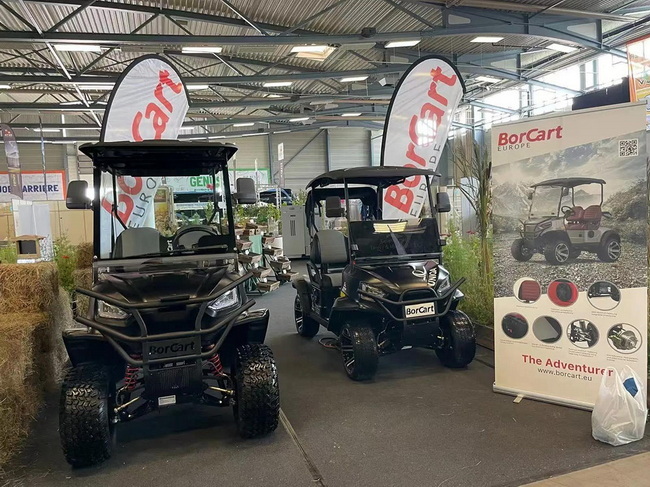
BorCart is a specialized Chinese manufacturer of electric vehicles and automotive components, focusing on golf buggy, sightseeing buses, low‑speed vehicles, hunting vehicles, and multi‑purpose vehicles. The company places particular emphasis on golf buggy production for overseas brand owners, wholesalers, and manufacturers, offering flexible OEM services tailored to each customer's requirements.
For customers who already operate Yamaha golf buggy fleets, BorCart can play several important roles:
- Designing and producing new golf buggy units with similar dimensions, seating layouts, and performance levels to existing Yamaha vehicles, making mixed fleets easier to manage.
- Helping customers define technical specifications for new golf buggy orders based on the year and model of the Yamaha units already in operation.
- Offering customized powertrain solutions, including different battery types and capacities, to align with the range and charging expectations of the existing fleet.
By understanding the structural and electrical characteristics of various golf buggy generations, BorCart can supply OEM vehicles that integrate smoothly into multi‑brand fleets operating in golf courses, resorts, airports, holiday parks, and villa communities. This approach simplifies maintenance strategies, reduces training time for drivers, and allows operators to standardize accessories and spare parts across different golf buggy models.
Whether you own a single Yamaha golf buggy or manage a large fleet, keeping clear records of each vehicle is a smart long‑term strategy.
For each Yamaha golf buggy, consider recording:
- Serial number and model code.
- Year of manufacture and any verified production notes.
- Powertrain details, such as battery type and voltage for electric golf buggy models, or engine type for petrol versions.
- Seating capacity and special configurations (for example, cargo bed, rear flip seat, or utility box).
- Major upgrades or modifications, including lift kits, body conversions, premium seats, or lighting kits.
You can store this data in a simple spreadsheet, an asset management tool, or a maintenance logbook. For fleets that mix Yamaha golf buggy units with OEM vehicles from BorCart and other manufacturers, unified records make it much easier to order compatible parts, schedule preventive maintenance, and plan equipment replacement cycles.
While many owners can decode the year of a Yamaha golf buggy using serial numbers and visual clues, professional confirmation is often faster and more precise, especially for models that underwent mid‑cycle updates.
You can seek help in several ways:
- Contact an authorized Yamaha golf buggy dealer and provide your serial number, along with photos of the vehicle's exterior, interior, and identification plate.
- Request assistance from a specialized golf buggy workshop that regularly services Yamaha golf buggy models and knows how to interpret model codes.
- Work with OEM manufacturers or fleet suppliers that understand Yamaha golf buggy design standards and can match your vehicle to known specifications.
Professional confirmation is strongly recommended if you plan a major upgrade project, such as converting a standard golf buggy into an off‑road hunting vehicle, adding a road‑legal lighting package, or replacing the entire battery system. In these cases, precise knowledge of the golf buggy's year and configuration reduces risk and avoids costly rework.
To make the process easier, here is a simple step‑by‑step checklist you can follow:
1. Clean the frame and dashboard areas
Remove dirt, dust, and old stickers from the frame under the seat, near the battery compartment, and around the dashboard or glove box. This makes identification plates and stickers easier to read.
2. Locate and photograph the serial number
Once you find the serial number plate or label, write it down and take clear photos. Capture close‑ups of the code and wider shots showing where it is located on the golf buggy frame.
3. Note visible features of the golf buggy
Record the body style (square or rounded), dashboard type, roof design, lighting system, and seat style. These features help confirm that the serial number corresponds to the correct generation.
4. Compare with model/year charts or examples
Use a reliable model/year chart, dealer documentation, or reference images to match your serial number and visual features to a specific year range of Yamaha golf buggy production.
5. Confirm with a professional if necessary
If you still feel uncertain, share your serial number and photos with a dealer, golf buggy technician, or OEM partner for confirmation before ordering major parts or upgrades.
Following these steps will help you establish the year of your Yamaha golf buggy with confidence and avoid unnecessary trial and error.
Once you know the age of your Yamaha golf buggy, you can better judge whether to keep upgrading it or to complement it with newer vehicles.
You might consider replacing or supplementing older units if:
- The frame and body show heavy corrosion or structural damage, making further investment less economical.
- Key components such as the motor, controller, or rear axle have reached the end of their practical life, and replacement costs approach the price of a newer golf buggy.
- Your operating environment has changed, for example, moving from flat golf courses to hilly resorts where more powerful or modern electric systems are desirable.
- You want to standardize on newer battery technologies or safety features that are not easily retrofitted to very old golf buggy platforms.
In these cases, you can keep a reliable older Yamaha golf buggy as a backup or low‑usage vehicle and introduce new golf buggy units from OEM suppliers like BorCart to handle daily core operations. Matching seating layouts, color schemes, and accessory interfaces helps the old and new golf buggy vehicles work together seamlessly.
Knowing the exact year of your Yamaha golf buggy starts with finding and decoding the serial number, then confirming the result with visual clues and, when necessary, professional support. Once you identify your golf buggy's year correctly, you can select compatible parts, plan upgrades, and document your assets more effectively. Accurate year identification also allows you to integrate OEM‑built vehicles from manufacturers such as BorCart into your operations, ensuring that mixed fleets remain easy to maintain and safe to use. A well‑identified Yamaha golf buggy is simpler to service, more reliable in demanding environments, and more valuable when you choose to sell or expand your vehicle lineup.
Contact us to get more information!
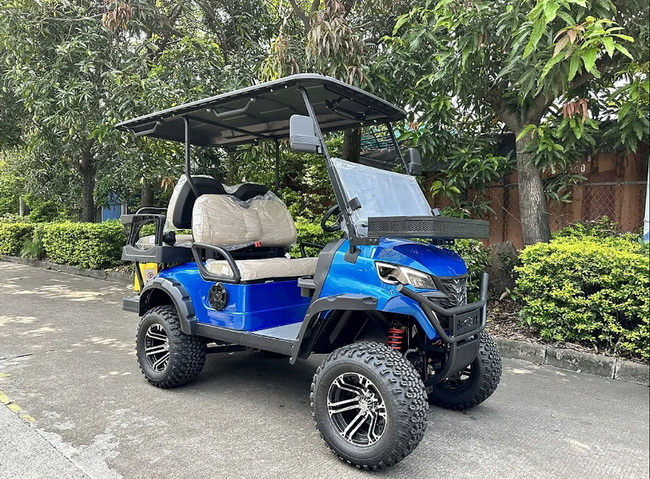
On most Yamaha golf buggy models, the serial number is located on a metal plate or sticker attached to the frame under the seat, near the battery compartment, or on the passenger side frame rail. Some generations place it near the dashboard support or front frame area. If you cannot find it immediately, clean and inspect all these locations carefully.
Yes, you can estimate the year by examining visual features such as body shape, dashboard layout, roof design, lighting arrangement, and seat style. By comparing these details to reference examples from different generations, you can place your Yamaha golf buggy within a likely production range. However, for exact parts ordering or technical documentation, it is best to confirm through a dealer or experienced technician.
The year determines which frame, suspension, motor, controller, and wiring configuration your Yamaha golf buggy uses. Many upgrades, such as lift kits, wheel and tire packages, lighting systems, and performance controllers, are designed for specific year ranges and model families. Using components that match your golf buggy's year ensures proper fit, safe handling, and optimal performance.
If you already operate a fleet of Yamaha golf buggy units, BorCart can design and supply OEM golf buggy vehicles that match or complement your existing fleet in dimensions, seating layouts, and performance characteristics. By working from accurate year and model information, BorCart can configure new electric golf buggy units, sightseeing vehicles, or utility buggies that integrate smoothly with your Yamaha fleet, simplifying maintenance and training.
For every Yamaha golf buggy, you should record the serial number, model code, confirmed year of manufacture, seating configuration, powertrain details, and any major upgrades such as lift kits, battery conversions, or body modifications. Keeping clear records helps you order correct parts, schedule maintenance, manage depreciation, and provide accurate data to OEM manufacturers or dealers when you expand or refresh your golf buggy fleet.
1. https://global.golf.yamaha.com/en/history/
2. https://www.redway-tech.com/where-is-yamaha-golf-carts-made/
3. https://www.borcart.com/products/Golf-Buggy.html
4. http://cn.shgolfcart.com/product-oem-airportgolf-coursefarmholiiday-villagevilla-park-electric-golf-hunting-buggy-carts-car-vehicle/
5. https://www.youtube.com/watch?v=lhO85V5sQVc
6. https://www.youtube.com/watch?v=Ff189SWXu_Q
7. https://www.yisen-auto.com/cn_products/es-319.html
8. https://www.yisen-auto.com/cn_products/es-320.html


